
A dealer in a 47-location network gets the same quarterly newsletter as a customer who bought three vehicles and filed a service complaint last week. Neither reads it. Manufacturers and distributors keep running campaigns off static lists — job title, region, a purchase date from two years ago — while B2B buyers increasingly expect the same personalized response consumers get from a retailer’s app. Dynamics 365 Customer Insights closes that gap by building segments and journeys from what a customer actually does, not from a field that was true once and never updated.
Why “Segment A: Automotive Buyers 25–45” Doesn’t Work Anymore
That segment tells a marketer almost nothing about whether the customer is close to a repeat order, frustrated with a recent service ticket, or already talking to a competitor. Companies that grow faster drive 40 percent more of their revenue from personalization than their slower-growing counterparts (McKinsey & Company, “The Value of Getting Personalization Right — or Wrong — Is Multiplying,” Next in Personalization 2021 Report, November 2021). The gap between those two groups is rarely the marketing budget. It is the quality of the data the segment is built on.
What a Unified Customer Profile Actually Contains
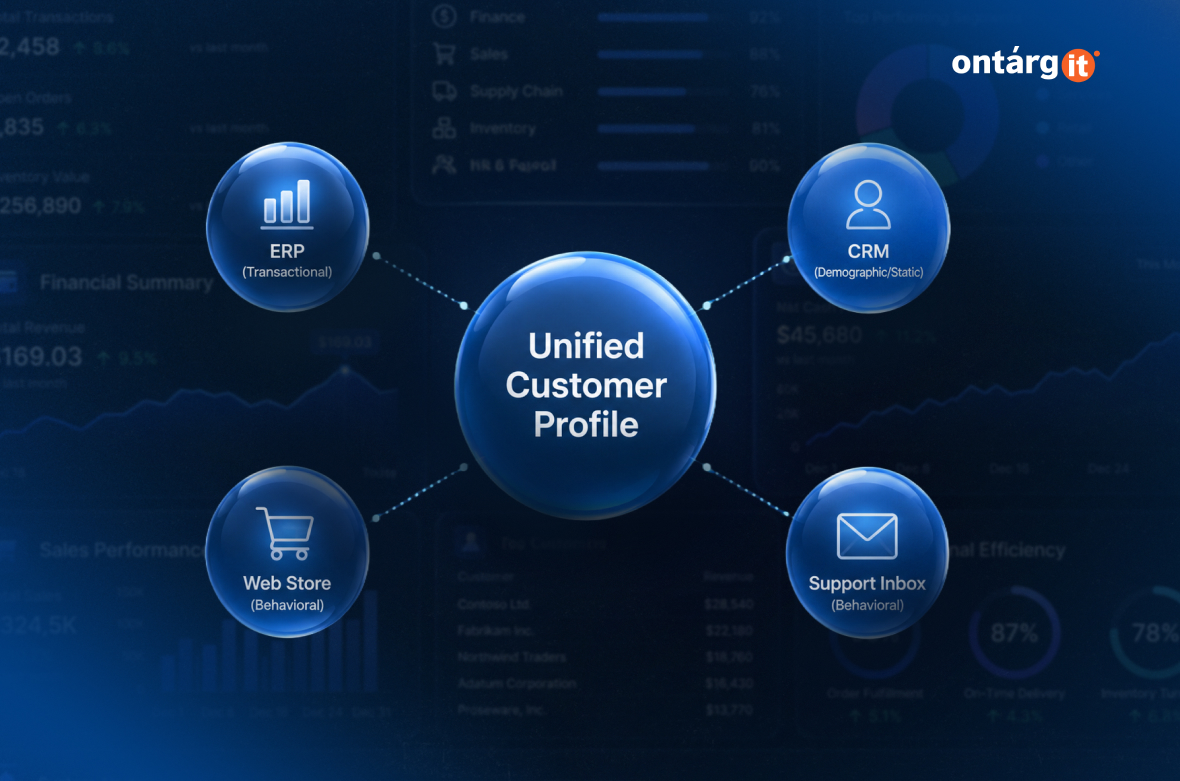
Dynamics 365 Customer Insights — Data solves a specific problem: customer information scattered across a CRM, an ERP, a web store, and a support inbox, with no single record tying it together. The application ingests data from these sources and unifies it into one profile per customer, combining transactional, behavioral, and demographic attributes rather than a static contact card. Dynamics 365 Customer Insights — Journeys then draws on that same unified profile to personalize outreach, using measures such as loyalty status or last purchase date as live inputs, not one-time imports. A segment built this way changes as the customer’s behavior changes. A segment built from a spreadsheet does not.
Building Segments on What Customers Do, Not Who They Are
The practical difference shows up in how segments get defined. In Customer Insights — Journeys, a segment can combine unified-profile attributes — location, loyalty tier — with customer measures such as total spend or order frequency. Microsoft’s own documentation illustrates this with a “Monthly grocery shoppers” segment built from location, rewards-member status, and monthly spend together, not any single field in isolation. Journeys themselves start in one of two distinct ways. A segment-based journey launches for everyone who belongs to a defined segment, on a schedule or as customers enter it. A trigger-based journey launches instead from a specific event — a form submission, a field change in the CRM, a registration — independent of segment membership; a segment can still narrow who qualifies once the trigger fires, but the trigger, not the segment, is what starts the journey. The distinction matters operationally: a segment-based journey reaches a defined group on a cadence, while a trigger-based journey reaches an individual customer the moment their behavior changes.
Conclusion
The difference between a segment that converts and one that rarely does comes down to campaign creative. It comes down to whether the data behind the segment reflects what the customer did last week or what someone assumed about them a year ago. Manufacturers and distributors running multi-location dealer or partner networks have the most to gain from that shift, because behavior-based triggers scale where manual list-building can’t.