
In the past, ERP monitoring was limited to basic status checks, such as tracking job failures or active alerts. While helpful, these snapshots lack the deeper context needed for today’s complex, highly automated environments. As modern workloads become more interconnected, teams are turning to AI agents to assist with diagnosis and repair. For these AI tools to work effectively, they require high-quality, detailed data signals that traditional monitoring simply doesn’t provide.
Telemetry forms the basis for observability
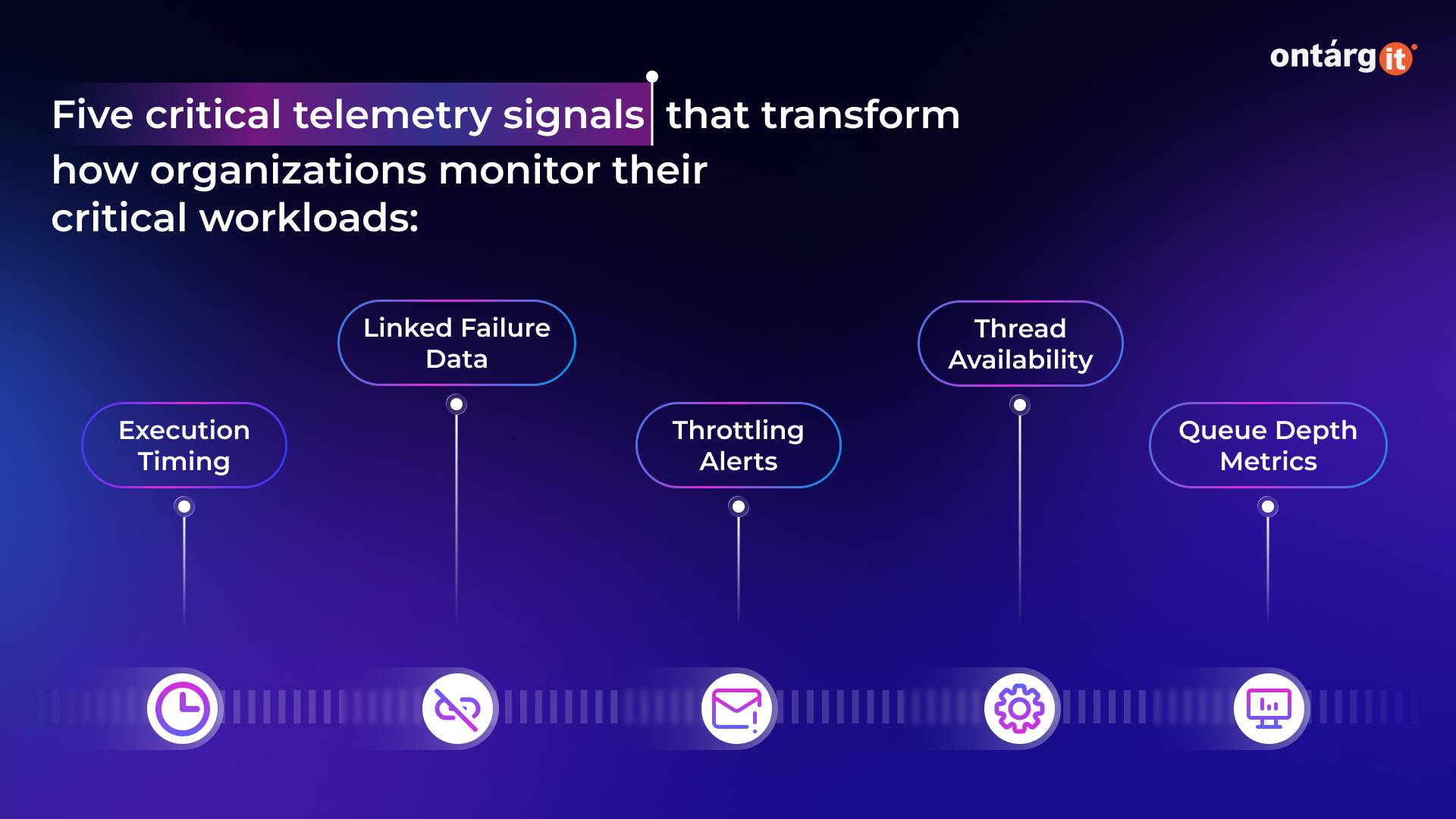
In modern ERP environments, batch workloads are the backbone of business continuity. While Dynamics 365 is integrated with Azure Application Insights, a new expansion in Batch Telemetry signals is shifting the paradigm. The latest update introduces five critical telemetry signals that transform how organizations monitor their critical workloads:
Use KQL to gain these insights
Once batch telemetry reaches Azure Application Insights, teams can use the Kusto Query Language (KQL) to analyze it. KQL is a high-performance, read-only language specifically designed to process massive amounts of real-time data. While it uses a logical data-flow model similar to SQL, it is optimized for searching text and parsing complex logs. This allows you to query your Dynamics 365 environment and receive fast, data-driven answers to your operational questions.
Enhanced observability provides several key benefits by making system data easier to act upon. Instead of digging through logs, teams can quickly investigate how code executes, saving time during troubleshooting. It also allows for trend analysis to catch performance issues or capacity limits before they disrupt the business. Additionally, seeing actual usage patterns leads to smarter resource planning and ensures that service level agreements (SLAs) are grounded in how the system truly performs.
Improve the AI agents with better observability
The expansion of batch telemetry signals represents more than just a new diagnostic toolkit; it provides the high-fidelity data foundation required for the next era of autonomous enterprise operations. In an environment where AI agents are increasingly responsible for execution, these signals act as the “eyes and ears” of the system.
By moving beyond simple error reporting, Dynamics 365 enables a shift from monitoring symptoms to managing outcomes through automated anomaly detection, business-critical correlation, and impact-aware alerting.
With this rich data layer in place, organizations can deploy AI Agents to act on these insights in real-time. This can be achieved through two primary pathways:
Deploy ready-to-use solutions, such as the Supplier Communications Agent. This particular agent eliminates the manual friction of procurement by autonomously engaging with vendors to confirm lead times and update delivery statuses. It bridges the gap between a technical batch update and a real-world supply chain result.
And you can build your own or use third-party agents through the Model Context Protocol (MCP). Businesses can seamlessly “plug in” specialized third-party AI tools, enabling disparate systems to communicate effortlessly. This standardized framework ensures that your custom partner tools and Dynamics data “talk” to each other without the need for expensive, bespoke integrations.
Conclusion
By integrating expanded Batch Telemetry, Kusto Query Language (KQL), and AI Agents, Microsoft is transforming ERP systems from static records into self-optimizing single sources of truth.