

Microsoft Dynamics 365 Sales

Streamlining Sales Automation Processes Using Microsoft Dynamics 365

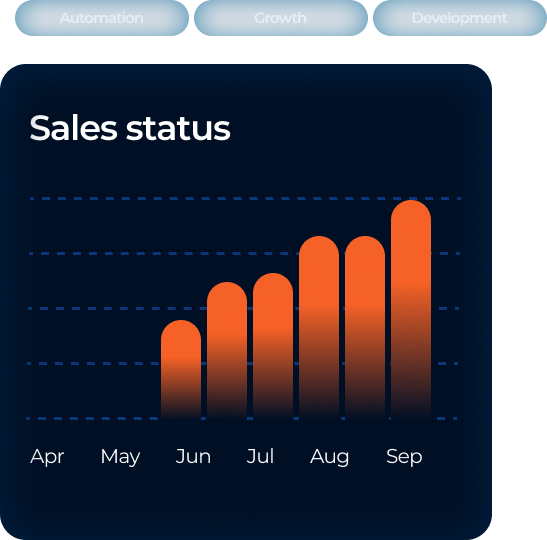
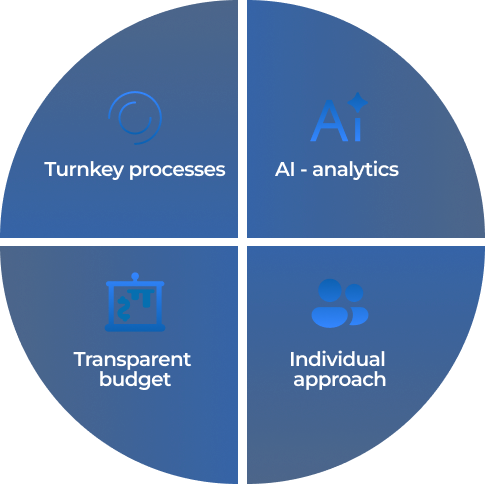
Optimize your sales process within weeks with a modern CRM, AI analytics, and prepared business processes.
table

Package for sales process automation: Microsoft Dynamics 365 Sales solution and our developments for typical processes (contract management, approval, lead verification and qualification, telephony).

Why Choose OntargIT?

1

Experienced Consultants

2

Universal approach

3

Corporate implementation

4

Hands-on training

5

Tech expertise

6

Results for the business

Functionality to implement

Here, you can choose between the basic and the extended package. Additional functionality in the adjusted one is marked with (+).

  • Manually. Manual creation of a Lead (receiving a call by phone, importing from Excel, or a photo of a business card).
  • Based on Email. Automated creation of a Lead from a Microsoft Exchange Online (M365) email.
  • Import from Corporate Website (+). Integration with your website for automatic Lead creation.
  • Based on Email Analysis using AI (+). The incoming email is analyzed, and key Lead fields and comments regarding the inquiry are filled. Automatic categorization of the inquiry.
  • Adding necessary analytical fields for the Lead for its classification and configuring Lead distribution rules using the system’s basic functionality.
  • Configuration of searching for basic company information on publicly available internet resources to detail the company profile using AI.
  • Collection of additional company information on specialized services (+), for example, verification of status, security, and details (Youcontrol and others) through integration and AI.
  • Support for the company’s accepted Lead validation algorithm (+): adding necessary fields, checks on whether the Lead can be considered qualified, and required approvals.
  • Creation of the proposal, its version.
  • Proposal Status. Cancelled, not accepted, won.
  • Proposal Approval for sending to the client (+). Adding necessary approvals and confirming approval status.
  • Recording contract attributes (dates, type, automatic renewal).
  • Registration of annexes and attributes.
  • Contract Text Approval: Configuration of stages and roles in the contract approval process. Recording feedback from participants. Collaborative work on the file in SharePoint. Managing user access to the file during approval stages.
  • Mechanisms that support the possibility of configuring approvals (roles, stages, delegation).
  • Connecting your PSTN provider to D365 Sales сloud telephony through a cloud partner or via your own compatible equipment.
  • Integration with Microsoft сloud telephony.
  • Call recording and transcription, sentiment analysis, mood analysis, and control via key phrases.

Implementation Route for the Project

Project Scope Formulation

Goal: align the vision, boundaries, and goals of the implementation.

  • We discuss current automation options

  • We form the final budget and proposal calculator

  • We estimate the initial workload

Implementation Preparation

Goal: create a working process and engage key people.

  • Appointment of the Customer’s Product Owner

  • Creation of communication space (MS Teams Team, Planner, associated registers)

  • Infrastructure planning and license purchase

  • Analysis and modeling stage

Implementation

Goal: configure and test the system.

  • We perform configuration and modification

  • We demonstrate the functionality and gather feedback

  • Preparation and partial test data loading

Purchase of Remaining Licenses

Goal: ensure full access for the entire team.

  • We purchase the rest of license package

Acceptance of Work by Key Users

Goal: check scenarios on real data.

  • End-to-end process testing

  • Execution of real-world scenarios

Go-live

Goal: switch the system to working mode.

  • Initial data loading

  • Training of end-users by key users

  • Launch and support

what does project flow look like
  • Typical sprint duration — 2 weeks.

  • Each sprint has goals for both the client and vendor.

  • Each sprint ends with a report to the client (goal achievement, problems, suggestions, risks, forecast, updated priorities, goals for the next sprint).

  • The goals are a list of system requirements and tasks that the implementer and the client must complete to meet those requirements.

  • The vendor holds Daily Meetings for coordination.

  • Discussions on implementation details are carried out in online meetings with the client through the discussion of examples on the system being implemented.

  • All agreements and decisions are documented.

  • Functionality is demonstrated and handed over to the customer for testing as it is configured.

Typical Project Roles

Vendor:

  • Project Manager

  • Architect

  • Consultant(s)

  • Developer(s)

Client:

  • Key business users

  • Project Manager

  • IT department (Azure & Local Network)

  • Analyst(s)